

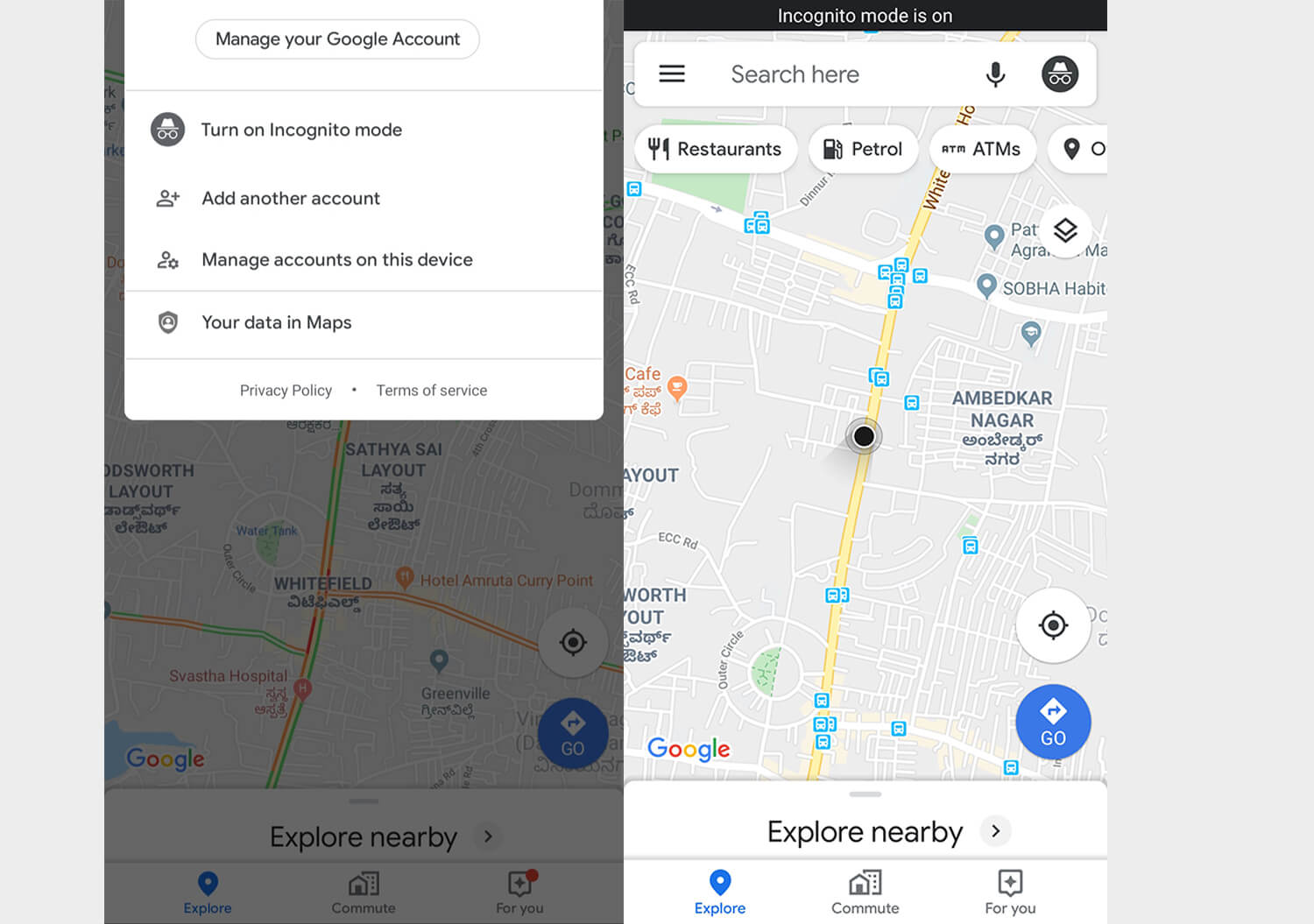
Google Map has introduced the ‘Incognito mode’ for Android users. It allows you to run searches and find routes by offering a quick access privacy option that prevents your Google account from storing your location data. This mode does not affect how your activity is used or saved by internet providers, other apps, voice search …
Google Map has introduced the ‘Incognito mode’ for Android users. It allows you to run searches and find routes by offering a quick access privacy option that prevents your Google account from storing your location data.
This mode does not affect how your activity is used or saved by internet providers, other apps, voice search and other Google services. You can enable Incognito mode in simple steps; open the Google Map app, tap on your profile picture and turn on Incognito mode.
Incognito mode: now in Maps. 🕶️
For when you don't want your activity—like the places you search or navigate to—to be saved to your Google Account. Now available on Android. pic.twitter.com/B6l1IXlOv7
— Google Maps (@googlemaps) November 4, 2019
If one’s ‘Incognito mode’ is enabled the whole time, Google won’t be able to personalise things like recommended places, offline maps, your places and location sharing. Also, Google Assistant microphone won’t be available but ‘OK, Google’ will work in the usual way.
Join the Club
Like this story? You’ll love our monthly newsletter.
Tags: accountactivityAndroid usersappsDatafindgooglegoogle assistantGoogle MapGoogle servicesIncognito modeinternet providersintroducelocationmicrophonemodeoffline mapsoptionpersonalise thingsplacesprivacyprofile picturequick accessrecommended placesroutesrunsearchessocial mediastepsstoretwittervoice search

Twinkle Sethia
Photography is hobby. Food is love. Travelling is passion. An impulsive writer and compulsive procrastinator. Fuels daily grind with coffee and distractions.